Unforgettable spaces &
inspired design
delivered monthly


When submitting your design to sell on Design Consigned, simply upload a couple of smartphone images for the initial submission / approval.
Once approved for listing, you can opt to have the item professionally photographed, listed and stored by Design Consigned
OR, you may wish to keep the object until it sells, in which case you will need to take and upload the images required *see checklist below . To ensure your images are ‘web worthy’, follow these simple tips:
Let there be light
Switch off all artificial lights and allow plenty of natural daylight to illuminate your object (avoiding direct sunlight)
Use a white wall or material to bounce light onto the object if required.
* Note : An artificially lit environment will yellow your images and make it hard for buyers to understand the actual colour. When the lighting is poor your phone will let you dial up the exposure in order to let in more light but too much will result in a ‘noisy’, grainy photo.
Location, location, location
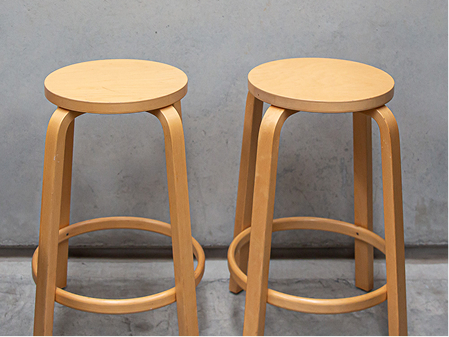
Make sure your object is the star by finding a plain white or plain neutral background.
Don’t accessorise or style the object in any way as buyers want to see the design as it is.
Steady wins the race
Camera shake comes from touching your camera as you set off the shutter. If you re worried, steady your phone on a fixed surface, or make use of the timer function.
Avoid the zoom as it reduces image quality.
Zooming in will decrease the quality of your photo because it enlarges the photo without changing the pixel resolution. We can copy and edit images for detail.
Take as many as you can in order show all aspects
Make sure you upload images of all aspects, any special details, faults or damage, brand and care labels, any certificates of authenticity or brochures
Upload or email in actual size
This will best show the details that our buyers are probably eager to see.
Check the colour is accurate.
Make sure the colours look as true to life as possible.
Level up
Are you standing centred facing the object ? Do you need to use a step ladder or sit on a chair to get the correct photo ?
Photo checklist
Your smartphone images actual size are now ready for uploading. If you have a choice, set it for square capture and upload the largest image version. Larger files mean that our website product zoom function will work optimally.

Online orders shipped
wherever you are located

We’ll do our best to match the rest.

Only the best service from
our design pros.