Why Design Consigned?

Good Design is timeless. That’s why we’ve built an online platform where you can buy and sell preowned
authentic design objects. Our fee includes valuation, listing, storage, marketing, packing and shipping to our buyers.
Located in Melbourne, Design Consigned ships to design lovers across Australia.

Simply fill out the consignment form below detailing your object and upload some smartphone images.
We will be in touch if your design meets our listing criteria.
Or contact us direct via email: info@designconsigned.com.au

Close X

Photography Tips

When it comes to listing your object on Design Consigned, simply upload a couple of smartphone images for the initial submission / approval.

If approved for listing, most consignors opt to have their object collected, stored, professionally photographed and listed, all free of charge.

OR, you may choose to keep the object until it sells, in which case you will need to take and upload the various images required *see checklist below . To ensure your images are ‘web worthy’, follow these simple tips:

Let there be natural light

Allow plenty of natural daylight to illuminate your object, avoiding direct sunlight.

Use artificial light/lamp sources only if required .

Use any white material to bounce light onto the object if required.

* Note : A low-light environment will degrade your images and make it hard for others to adequately view your object. When the lighting is poor your phone adjusts the exposure in order to let in more light. However can result in ‘noisy’,grainy images.

Location, location, location

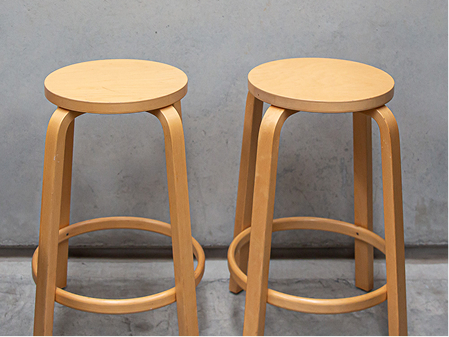
Make sure your object is the star by finding a plain white, grey or neutral background.

Please don’t accessorise or style the object in any way as this may confuse buyers or limit the appeal.

Steady wins the race

Camera shake comes from touching your camera as you set off the shutter. The good news is smart phones are resistant to shake. However if you re worried, steady your phone on a fixed surface, and or make use of the timer, and focus functions.

Avoid the zoom as it reduces image quality.

Zooming will decrease the quality of your photo as it actually enlarges your photo without changing the pixel resolution. Instead, crop the photo afterwards.

Smartphone photo editing

Take plenty of shots, then edit

Look at all of your shots and select the best. Make sure you upload images of all aspect views, any special details,  faults or damages this will help us provide buyers with an accurate condition rating.

If you are keen, sharpen your photos using edit features or an app

This will bring out item details that buyers are probably eager to see. There are plenty of editing apps available for smartphones.

Check the colour is accurate.

Don’t go overboard, but a little enhancement can help. Its very important that the colour is as true to real life as possible.

Rotate and crop

Have you caught the edge of a curtain or rug? Cropping or rotating will allow you to tweak your photo to create just the right composition.

Photo checklist

Smartphone images in actual size are best for uploading. Select square capture format and upload the largest image version. Larger files mean that a potential buyer can zoom in on our website. If using a digital camera, make sure images are between 2 MB – 8 MB in size.

  • Choose your most “clickable” photo as the main image.
  • Are the photos clear and do they accurately represent all aspects of your object?
  • Rotate the item and capture from all sides
  • Include images of the designer / manufacturers labels as proof of authenticity
  • Include an image showing dated purchase invoice as proof of legal ownership if you still have it [ we never share any personal details ]
  • You can upload up to 10 photos.